Pixel-perfect UI, even when your agent writes it.
Components and engineering charts for data-heavy React apps, with an MCP server and a design linter built in.
npx dtheo@latest init- Build a card for the failed step test
- dtheo · get_componentmetric, line-chart
- npx dtheo add metric line-chart+3 files
- npx dtheo check src
- icon-button-labelrun-card.tsx:14
- Added aria-label="Rerun step test"
- npx dtheo check src
- 0 errors in 12 files
- MCP calls
- 1
- Fixes
- 1
- Errors
- 0
- R-0412
- R-0409 reference
- Over limit
- components
- 36
- engineering charts
- 8
- MCP tools for agents
- 7
- design-check rules
- 17
- contrast pairs pass AA
- 116/116
Why dtheo/ui
Built for you and your agent
Your agent looks the system up, uses it, and checks its own work. You review less.
Your agent already knows it
Seven MCP tools, llms.txt and a Markdown copy of every page.
dtheo · MCP · connected- list_componentsevery component, one line each
- get_componentcontract, props, do and don’t
- get_component_sourcefiles ready to write
- check_ui_codefindings with the fix
Contrast, proven
Every text pair, every theme, checked on every build.
116/116
Pass WCAG AAMistakes caught
17 rules for what agents get wrong, each with the fix.
transition-alltransition-[transform,opacity]bg-blue-500bg-primary<Button size="icon">aria-label="Delete run"Works on phones
Touch-sized controls, safe areas, and the same tokens for React Native.
R-0412Fail17.6% overshootLimit 10 %. Lower Kp, then rerun.- Controls grow to 36 px on touch
- Respects notches and safe areas
- Every page tested at phone width
- Tokens for React Native and Expo
Three looks, one codebase
Change one attribute. Components, spacing and contrast come with it.
GraphitePass203ms settlingFlight deckPass203ms settlingDeep spacePass203ms settlingYou own the code
Copied into your repo. The shadcn CLI works too.
$ npx dtheo add button+ components/ui/button.tsx+ components/ui/spinner.tsx+ lib/utils.ts
Charts
Charts that know what a limit is
Made for test data, telemetry and lab results: from a live 1 kHz feed to a Bode plot and a Cpk.
Stream chart
DocsLive telemetry at 1 kHz. Anything past a limit turns red as it happens.
- Canvas, one draw per frame
- Spikes kept
- Stops off screen
Live torqueBench 3 · 1 kHz · synthetic feedA live chart. The latest values are listed above it; crossing a limit is announced.- Command
- – N·m
- Torque
- – N·m
Frequency chart
DocsBode plots and spectra on a log axis, with margins drawn where they are measured.
- Gain and phase margin
- Resonance peaks
- One crosshair, two panes
Open-loop responseRA-14 hip pitch · R-0412 against the R-0409 referenceUse the left and right arrow keys to read values by frequency. Hold Shift for larger steps.Scatter chart
DocsTwo measures across hundreds of runs, with the fit, the limit and your run called out.
- Thousands of points
- Least-squares fit
- Arrow-key reading
Gain against overshootRA-14 hip pitch · 412 step testsUse the arrow keys to move between points from left to right. Hold Shift for larger steps.- Over limit12
- Within limit400
Histogram
DocsA distribution against spec limits, with Cpk stated in words.
- Spec limits
- Cpk and a verdict
- Normal fit
Overshoot across all runsRA-14 hip pitch · Bench 3 · since firmware 4.16Use the arrow keys to move between bins. Hold Shift for larger steps.- n
- 412
- Mean
- 5.6 %
- σ
- 2.5 %
- Cpk
- 0.60 · not capable
Also in the box:Line chartBar chartHeatmapSparkline
Components
Every component, running live
- MetricA measurement with its unit, a meter against its limit and a status that pairs an icon with a word.Overshoot17.6%FailLimit 10 %Settling time186msNear limitLimit 200 msPhase current31.2APassLimit 40 AWinding temp.71.2°CPassLimit 90 °CSteady-state error0.4%PassLimit 2 %
- SwitchAn on/off setting that takes effect immediately.
Bench 3 is streaming torque and current at 1 kHz.
Cuts motor power when a winding passes 85 °C.
Locked while R-0412 is running.
- SelectChoose one option from a list. The popup aligns the selected item over the trigger, as macOS does.
The command the bench applies to the actuator.
- Toggle and segmented controlA pressed/unpressed button, and a segmented control for a few mutually exclusive modes.Step responseR-0412 · Bench 3
0–400 ms: peaks 17.6 % over at 61 ms, settles by 182 ms.
- SliderA value on a continuous track; pass two values for a range.15 %
R-0412 peaked at 17.6 %: flagged for review.
120–680 msSettling time and overshoot are computed inside this window.
- ToastA brief confirmation that stacks, expands on hover, pauses when hidden and swipes away.
- BadgeA short status or category label. Status always carries a word, never color alone.
Run results: an icon and a word, never color alone
FailedNear limitPassedRunningQueuedCategories
Bench 3Firmware 4.18.2High-gain stepReferenceStatus dots in a dense list, always with a label
- Bench 1Idle
- Bench 2Running R-0413
- Bench 3Over temperature
- Progress and meterProgress shows task completion; Meter shows a measurement against its range and limit.
Progress: work getting done
Uploading R-0412 tracesComputing efficiency mapMeter: a measurement against its limit
Winding temperaturePhase currentNear the 40 A limit
Examples
Whole apps, built only from the system
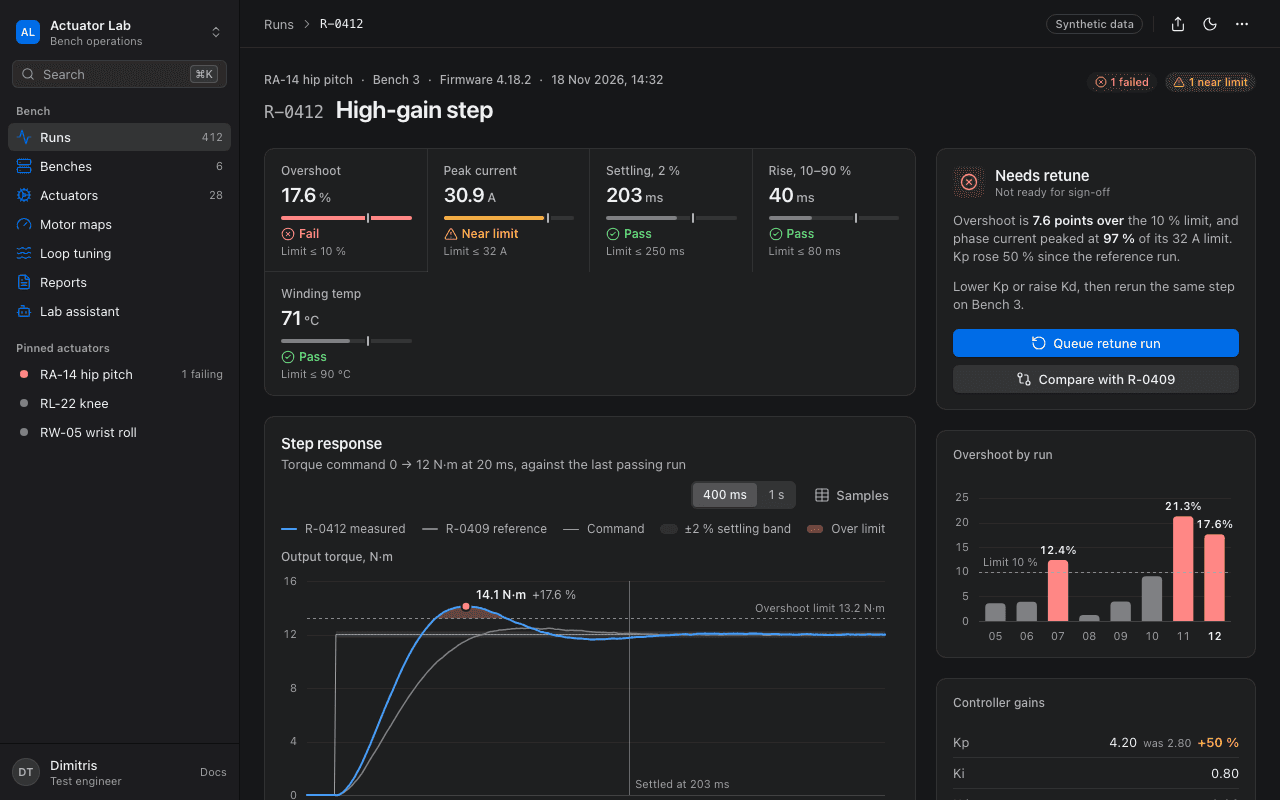
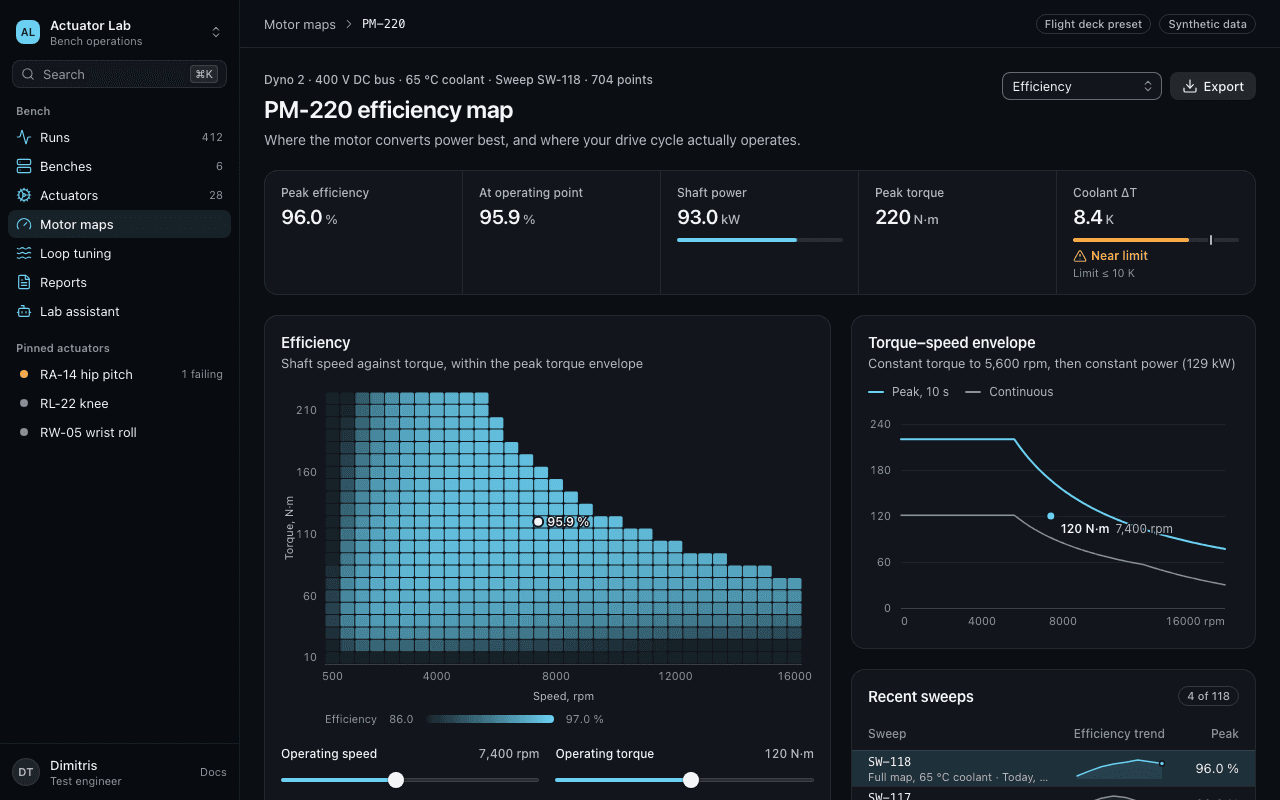
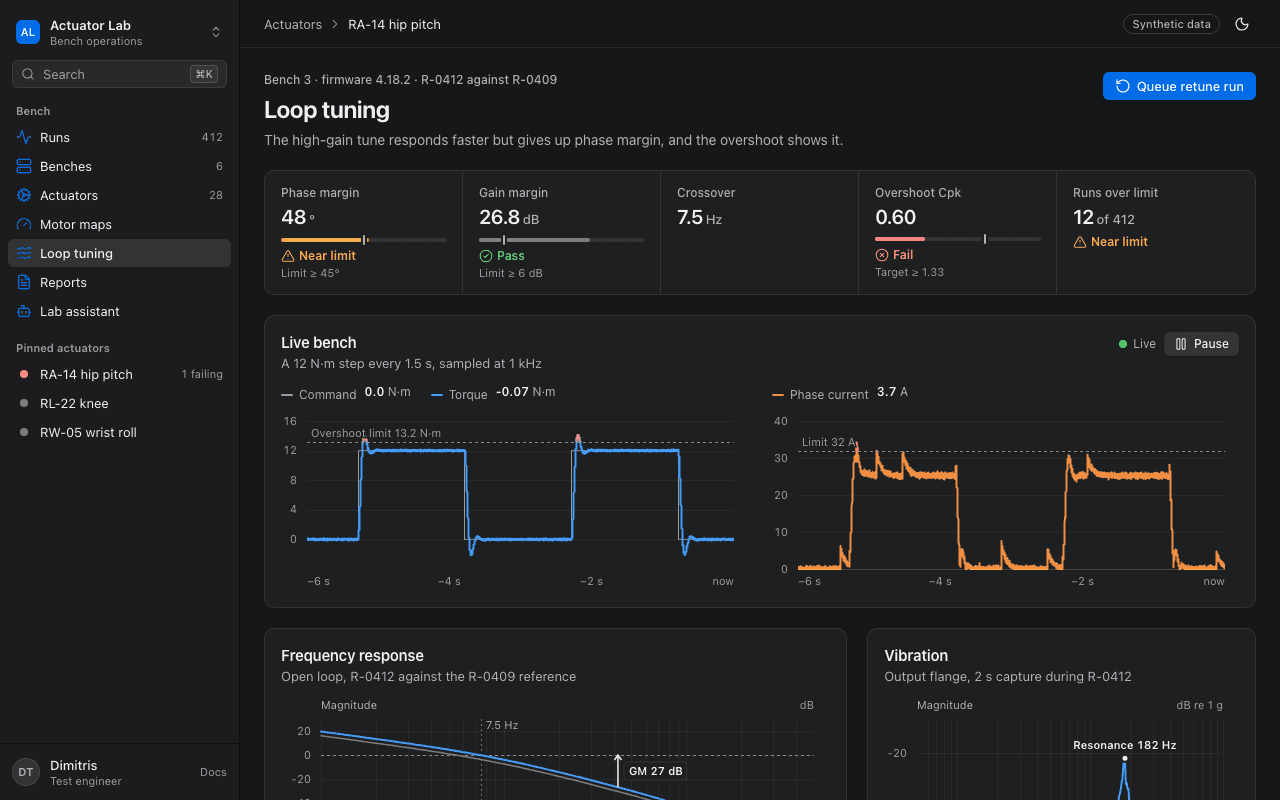
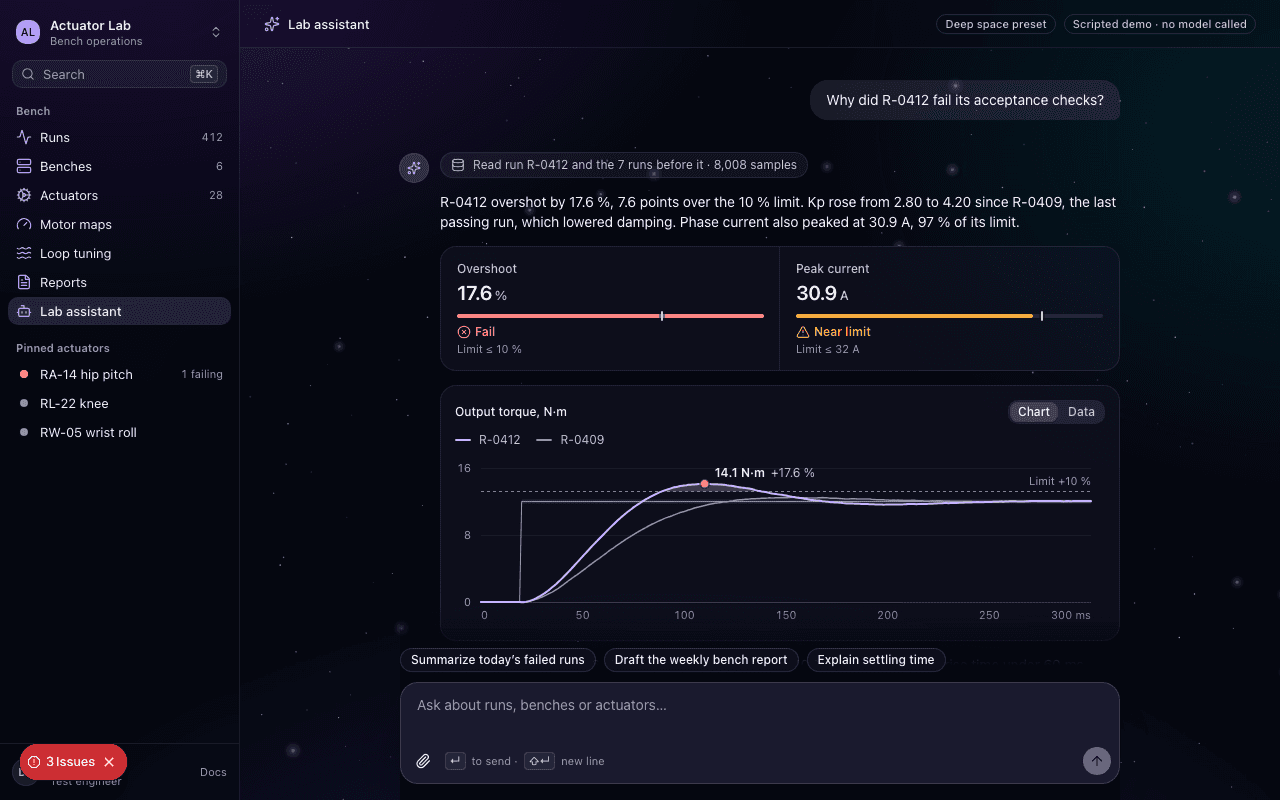
Questions
Start in one command.
npx dtheo@latest init